
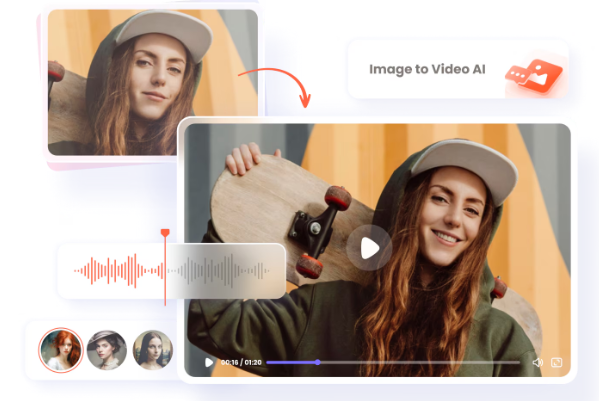
AI-powered creative tools have moved from novelty to necessity. Content creators, marketers, and everyday social media users now expect to turn a single photo into a moving clip or swap a face into a video within seconds — without touching complex editing software. Two categories in particular have exploded in popularity this year: image-to-video generators that animate still photos into short cinematic clips, and face swap tools that let anyone drop a face into an existing video or image realistically.
The challenge is finding tools that are actually free to start, produce believable results, and don’t bury you in watermarks or confusing credit systems. We tested a wide range of platforms — weighing output quality, speed, ease of use, and pricing transparency — to build this list. Below is our roundup of the best options for 2026, starting with the platform that impressed us the most across both categories.
At a Glance
| Tool | Best For | Free Plan | Paid Plans (Starting) |
| Magic Hour | All-in-one image-to-video & face swap | Yes | Creator: $19/mon or $12/mon billed annually; Pro: $39/mon or $25/mon billed annually |
| Runway | High-end cinematic video generation | Limited credits | From $15/month |
| Pika Labs | Fast, casual video animations | Limited credits | From $10/month |
| Reface | Quick face swap videos and GIFs | Yes, with watermark | From $7.99/month |
| DeepSwap | Realistic face swap for photos & video | Limited daily credits | From $19.99/month |
| Kaiber | Stylized, artistic video generation | Trial credits only | From $15/month |
1. Magic Hour — Best Overall
Magic Hour has quickly become one of the most talked-about platforms for anyone searching for a free image to video AI tool or a free face swap online generator, and it’s easy to see why. Rather than specializing in just one feature, Magic Hour brings together image-to-video animation, best-in-class face swap, lip sync, and talking photo generation into a single, click-to-create workspace — and you don’t even need to sign up to try it.
Pricing:
- Free
- Creator: $19/mon or $12/mon billed annually
- Pro: $39/mon or $25/mon billed annually
Key differentiators:
- Best-in-class face swap, lip sync, and talking photo tools
- No signup required to start creating
- Credits never expire, unlike most competitors
- Access to frontier AI models under one roof
- Click-to-create templates for faster output
- One-click multi-step workflows (generate → upscale → video)
- Dozens of top-performing models available in one place
- Fast variations so you can generate multiple takes quickly
- Weekly feature releases keep the toolset current
- Parallel generations with no concurrency cap
- An unusually generous free tier for testing quality before paying
- Strong overall value relative to cost
- Fully optimized for desktop and mobile
- Founder-level support responses when issues come up
- Reliable performance at scale, even during traffic spikes or live activations
- Full API parity across every tool in the suite
Drawbacks: Because Magic Hour offers so many tools, first-time users may need a few minutes to explore the dashboard before finding their preferred workflow.
2. Runway — Best for Cinematic Quality
Runway remains a favorite among filmmakers and professional creators for its Gen-series video models, which produce smooth, high-fidelity motion from a single image.
Pricing: Free trial credits, then plans starting around $15/month.
Main features: Advanced motion controls, camera movement presets, and strong prompt-following for cinematic shots.
Drawbacks: The learning curve is steeper than most casual tools, and free credits run out quickly for anyone generating regularly.
3. Pika Labs — Best for Quick, Casual Clips
Pika Labs is built for speed. Upload a photo, add a short prompt, and get a short animated clip in under a minute.
Pricing: Free tier with limited monthly credits; paid plans start around $10/month.
Main features: Simple interface, fast rendering, and a strong community template library.
Drawbacks: Output resolution and motion realism lag behind more premium tools, and the free tier is quite restrictive for frequent use.
4. Reface — Best for Quick Face Swap GIFs
Reface built its reputation on viral face-swap videos and GIFs, and it remains a solid pick for lighthearted, fast content.
Pricing: Free with watermark; subscriptions start around $7.99/month to remove it.
Main features: Massive library of trending video templates and instant mobile-first swaps.
Drawbacks: Free outputs carry a visible watermark, and longer or higher-resolution swaps are locked behind a paywall.
5. DeepSwap — Best for Realistic Face Swap Results
DeepSwap focuses on realism, using deep learning models tuned specifically for natural-looking facial blending in both photos and video.
Pricing: Limited daily free credits; paid plans start around $19.99/month.
Main features: High-accuracy facial mapping, support for longer video swaps, and batch photo processing.
Drawbacks: Free daily credits are limited, and processing longer videos can be slow compared to competitors.
6. Kaiber — Best for Artistic, Stylized Video
Kaiber leans into music videos and stylized, artistic animation rather than photorealism, making it popular with musicians and digital artists.
Pricing: Trial credits only for free users; paid plans start around $15/month.
Main features: Strong style transfer options and audio-reactive animation.
Drawbacks: Not ideal for realistic or professional use cases, and the free trial is quite limited.
How We Chose These Tools
We evaluated each platform using a consistent set of criteria to keep the comparison fair:
- Output quality: How natural and consistent the video motion or face swap looked across multiple test images.
- Free tier value: Whether the free plan gave users a genuine sense of the tool’s capabilities, not just a crippled demo.
- Pricing transparency: Whether monthly and annual pricing was clearly stated, without hidden credit costs.
- Speed and reliability: How quickly generations completed, and whether performance held up under repeated use.
- Ease of use: Whether a first-time user could produce a usable result without a tutorial.
- Feature breadth: Whether the tool offered more than a single narrow use case.
FAQs
Is Magic Hour really free to use? Yes. Magic Hour offers a free plan with no signup required to start, and credits never expire, which is uncommon in this space.
What’s the difference between the Creator and Pro plans on Magic Hour? The Creator plan ($19/mon or $12/mon billed annually) is suited to regular individual use, while the Pro plan ($39/mon or $25/mon billed annually) unlocks higher generation limits and priority access for heavier or professional workflows.
Can I use these tools on mobile? Most platforms on this list work in a mobile browser, but Magic Hour is specifically optimized for both desktop and mobile use.
Are free face swap results watermark-free? It depends on the platform. Some free tools, like Reface, add a watermark unless you upgrade, while Magic Hour’s free tier is more generous out of the box.
Which tool is best for professional projects? For all-in-one flexibility across image-to-video and face swap with reliable performance at scale, Magic Hour is the strongest overall choice. For pure cinematic quality, Runway is worth considering.
Conclusion
The best AI video and face swap tools in 2026 all bring something different to the table, but Magic Hour stands out for combining breadth, speed, and genuine free-tier value in one platform. Whether you’re looking for a free image to video ai generator or a free face swap online tool, it’s worth starting your search there before exploring more specialized options like Runway, Pika Labs, Reface, DeepSwap, or Kaiber based on your specific project needs.
